MCP Gateway
Understand
Airia's MCP Gateway.
A visual walkthrough of how the Airia MCP Gateway connects your agents and clients to MCP tools, securely and at scale, without exposing every tool to every prompt.
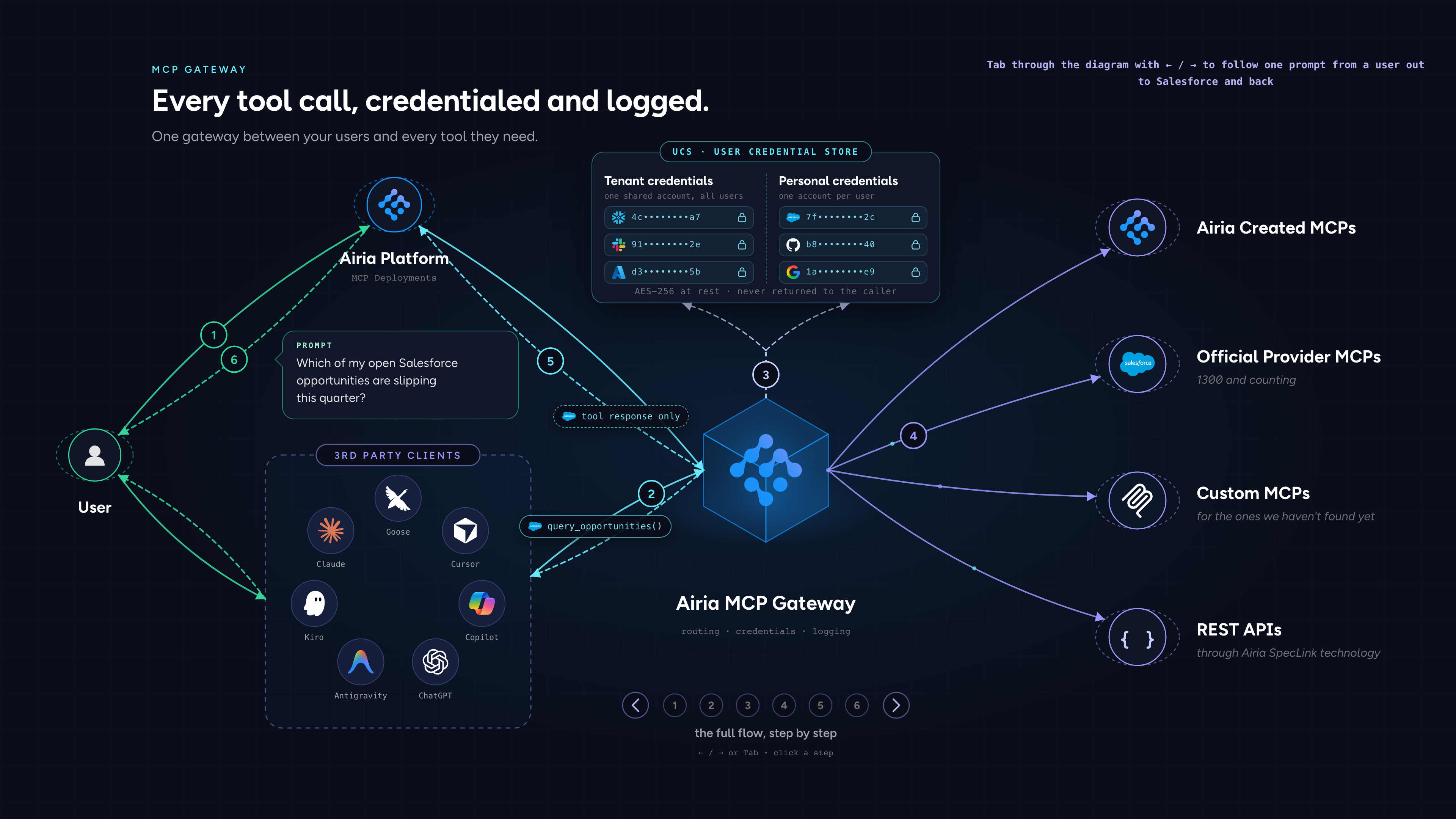
MCP Gateway
See how the Airia platform and third-party MCP clients connect through the Gateway to reach upstream MCP servers: one secure entry point for every tool.
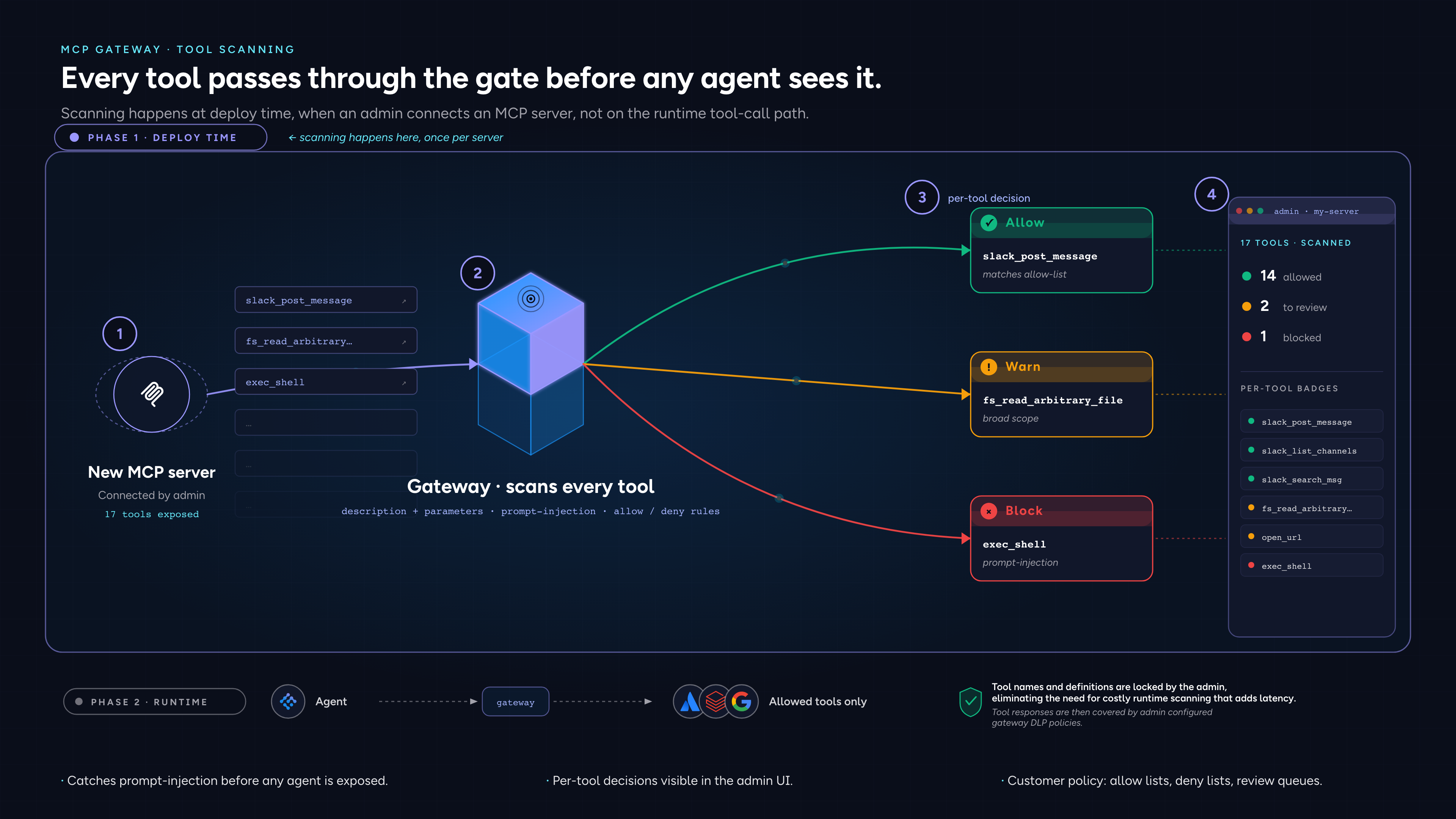
Tool Scanner
Every tool is scanned at deploy time for descriptions, parameters, and prompt-injection risks. Policies are then enforced at runtime with zero added latency.
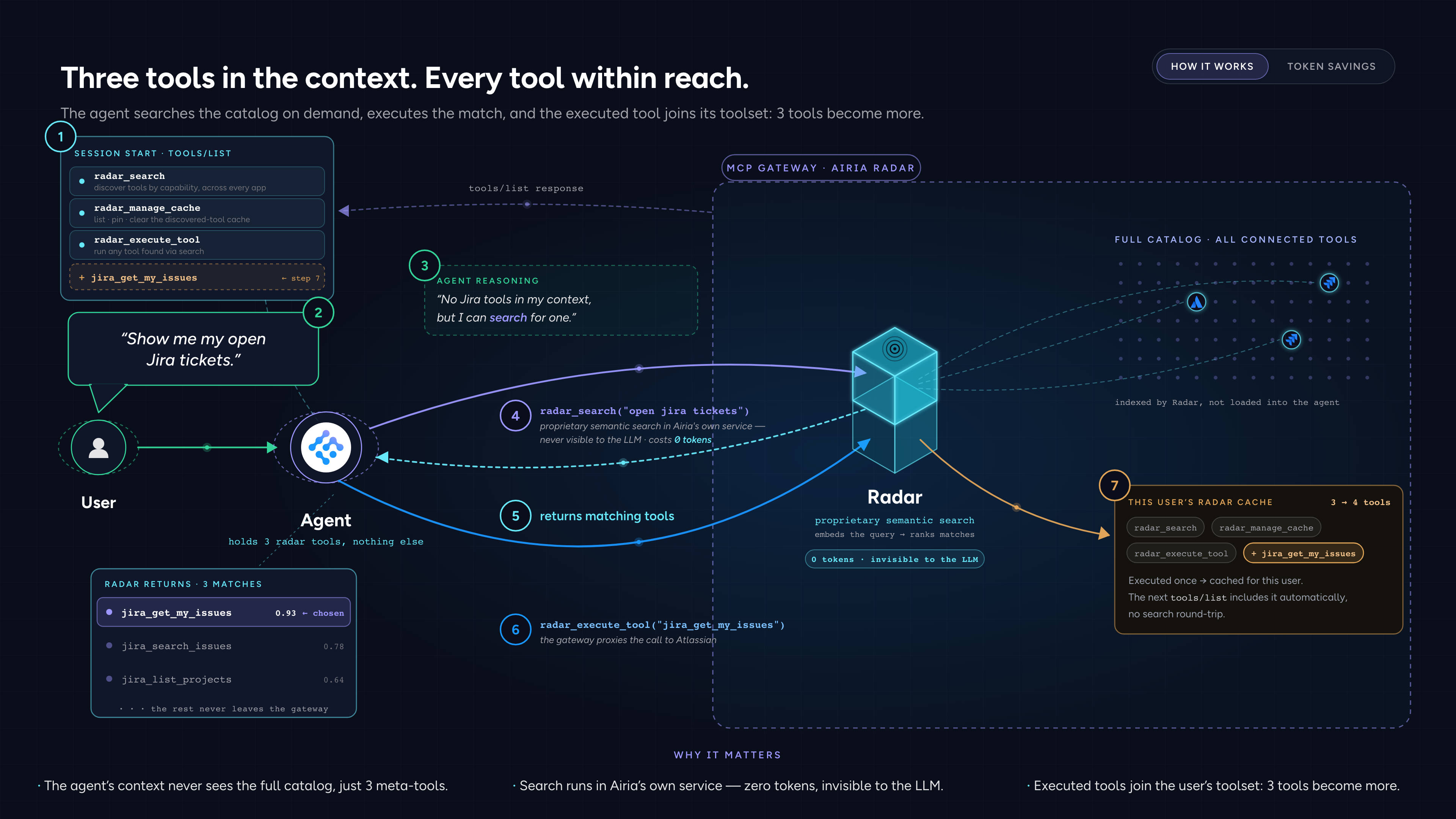
Radar
Agents start with just a few meta-tools, then search the full catalog on demand and execute the match. Each executed tool joins that user's toolset, so the next request skips the search round-trip entirely.
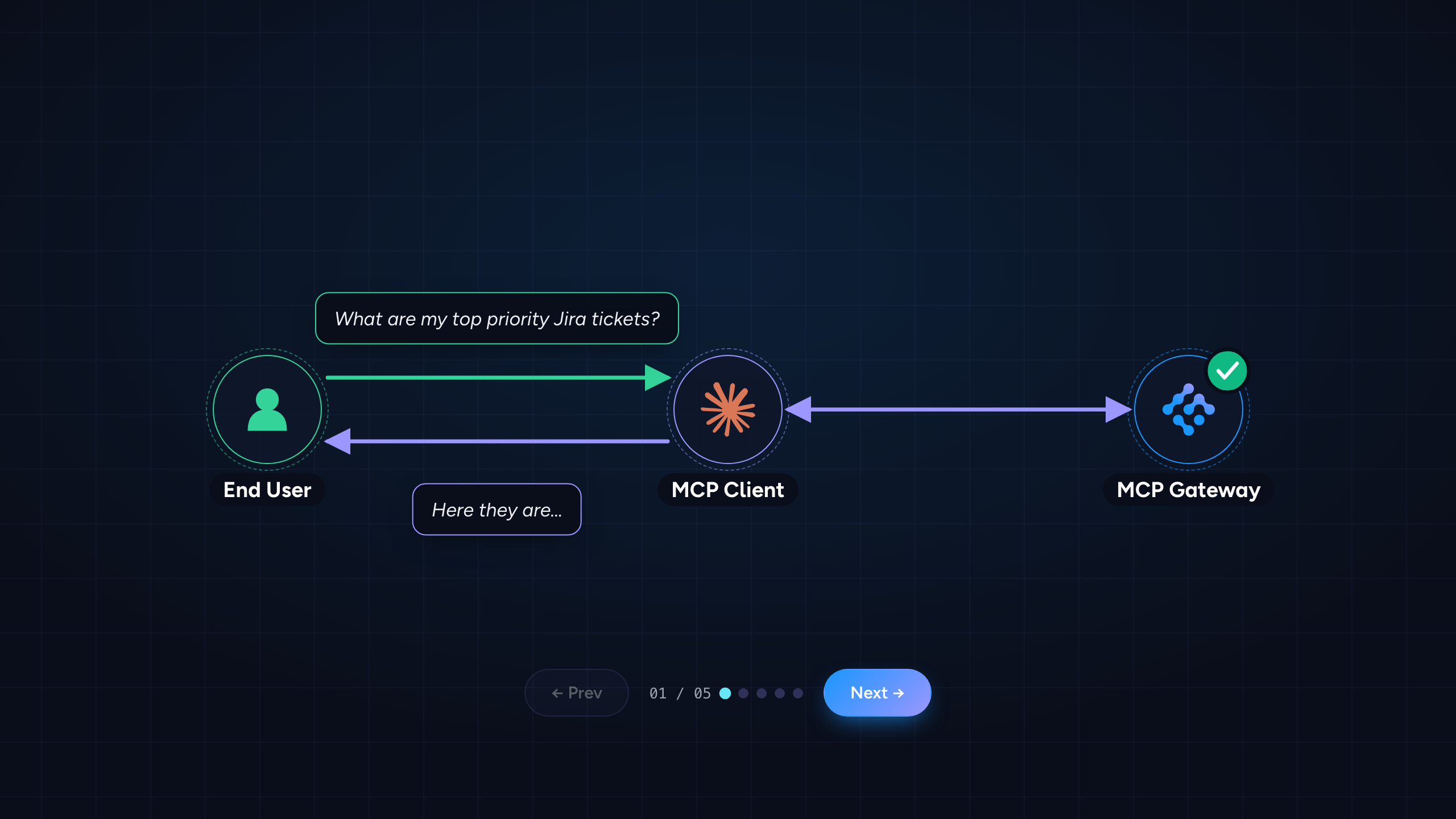
Credential Recovery
When a server hasn't been connected, or its credentials expire, the Gateway hands the agent a synthetic tool with a direct link to reconnect, instead of a dead end or a 401 the agent has to work around.
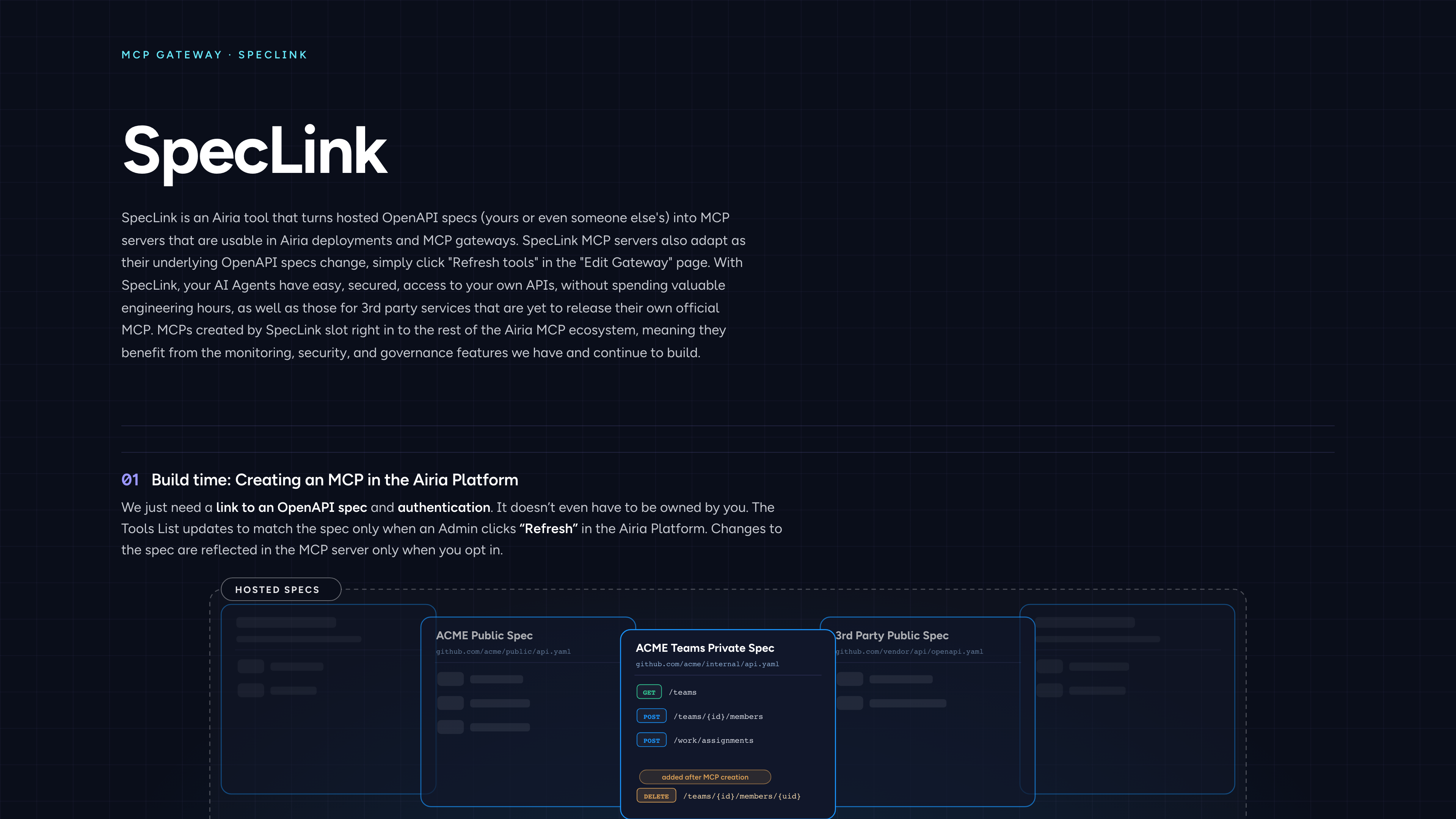
SpecLink
Turn any hosted OpenAPI spec into a first-class MCP server, yours or a third party's, without writing a server. Tools stay current with a one-click refresh, and API credentials never cross to the LLM.
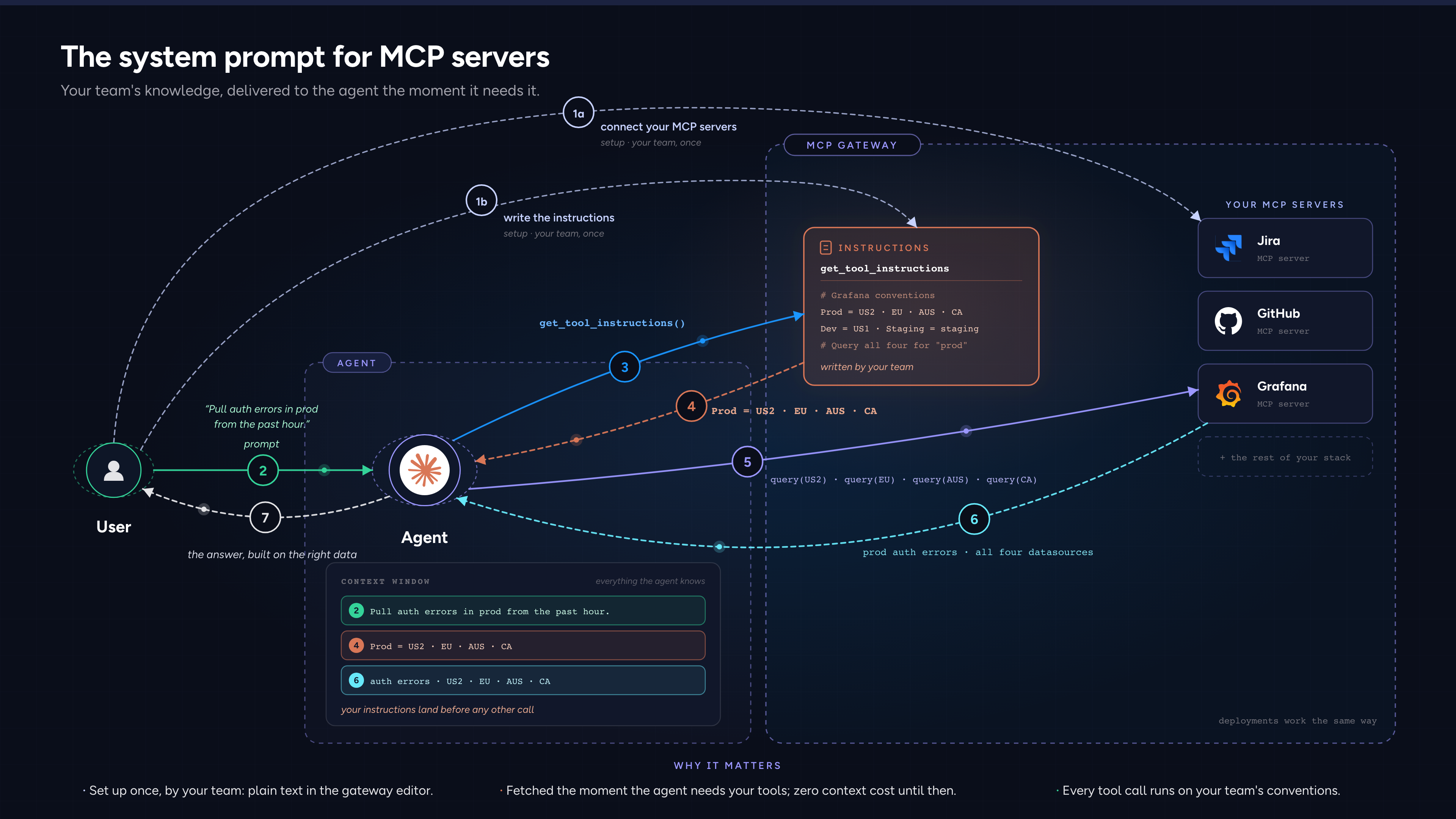
The Instruction Tool
The gateway-native get_tool_instructions function hands an agent your team's operating knowledge: the conventions and gotchas a tool's schema can't capture. What it is, why it matters, and how to author one.
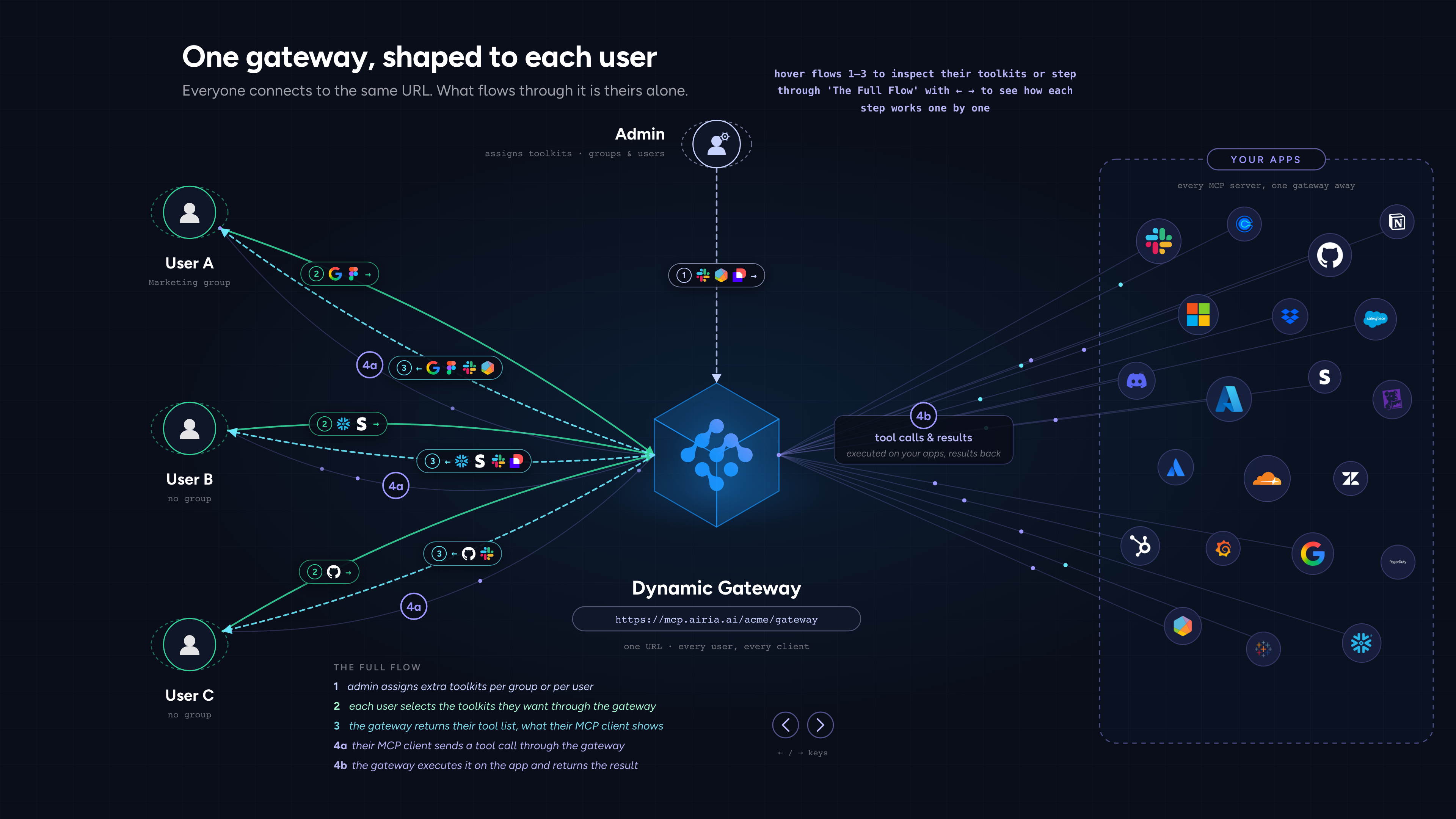
Dynamic Gateway
Everyone in your org connects to the same gateway URL, but what flows through it is theirs alone: admins assign toolkits per user or group, users add more on top, and the gateway returns a tool list shaped to each person.
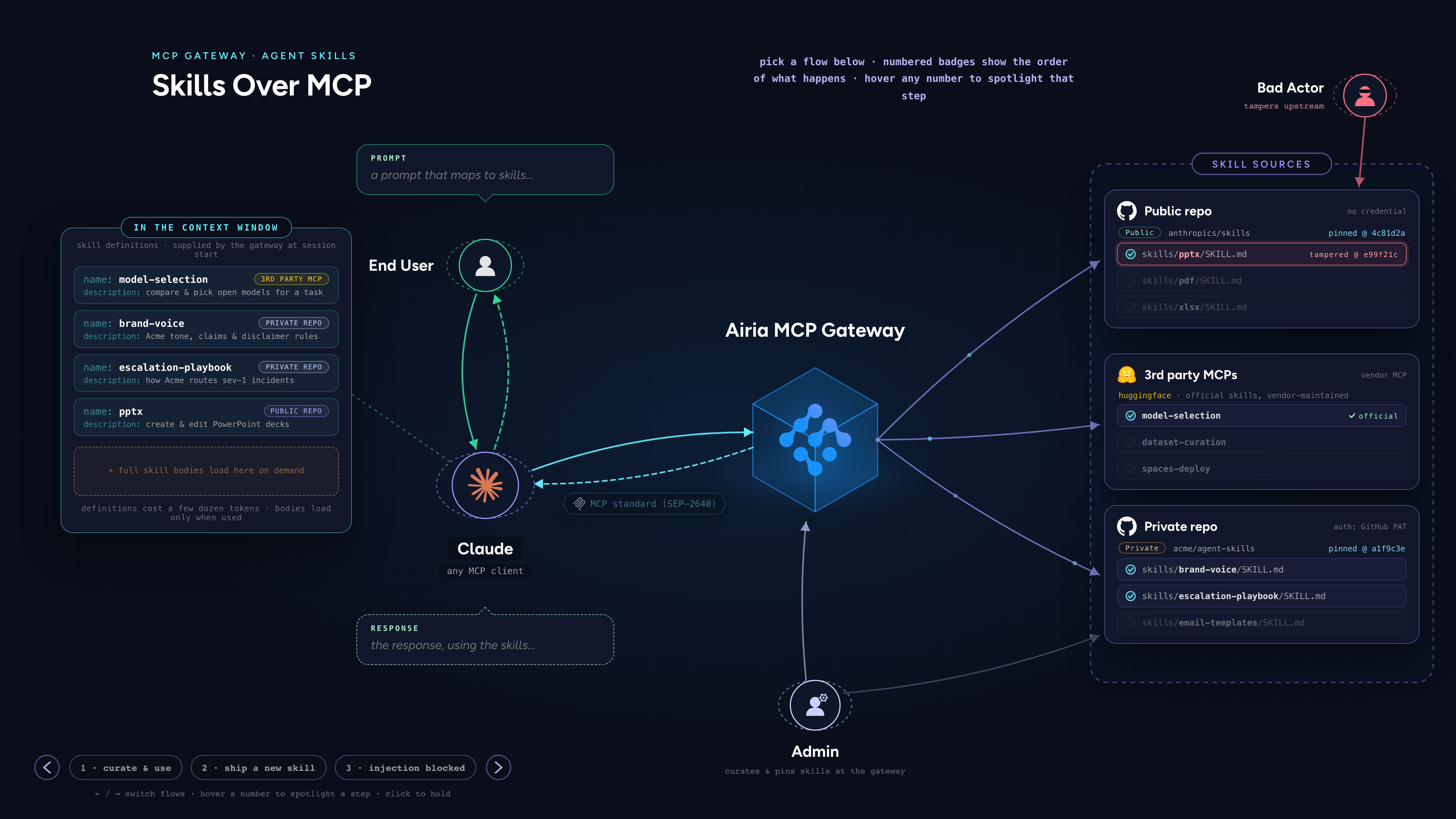
Skills Over MCP
Admins curate Agent Skills from public repos, vendor MCP servers, and private repos, then pin each one to a branch and commit. Every MCP client gets the definitions at session start, and the gateway serves the full skill from its pinned copy, so upstream tampering never reaches a running session.